Race Timing - STS Pro Time Features
STS Pro Time Features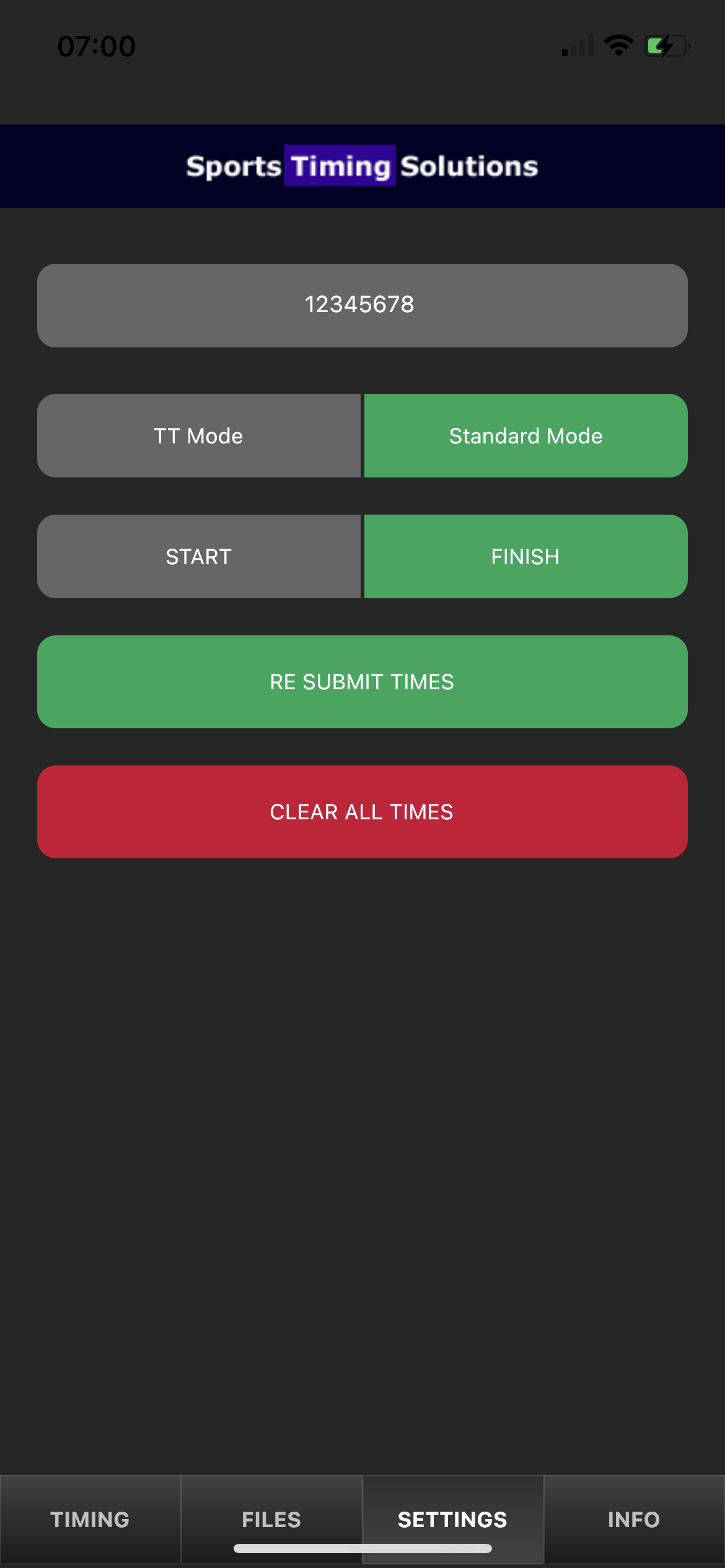
Once you have downloaded and installed our FREE race timing app. You will need to set the app up so that the data can be uploaded from the app to our website.


SETTINGS
You will notice that the app has a SETTINGS TAB This is where you insert the API KEY that is available within the race timing module. The API KEY is unique to your event.
API KEY
The API Key is a unique 8 digit code that is unique to your event. We use the API Key to link the times uploaded with your participants.
We recommend that you insert the API Key before your event and send some test times just to ensure that the data is being inserted. You can delete these times before your event takes place.
TT Mode | Standard Mode
TT Mode is specifically designed for cycling time trial events.
Standard Mode - This is the mode used for 99% of all event types
START | FINISH
You can use both the Start and Finish settings depending on the type of event you are timing.
FINISH - When timing a typical running event you are only looking to capture the finish time of a participant.
START - The Start setting would only be used for events where you are looking to have a net time typical events are cycle sportive events, stair climb events and time trials.
YOU NEED TO ENSURE THAT YOU SELECT THE CORRECT TIMING POINT. I.E DONT USE A START FILE FOR YOUR FINISH LINE.
RE SUBMIT TIMES
If you are in a location where you do not have an internet connection you will not be able to upload times in real time. The Re Submit button will allow you to upload all of the times.
CLEAR ALL TIMES
When you are timing a new event you may notice that previous times are still held within the system. You can clear the times using the Clear Times button. The times are also cleared when you save a file.
TIMING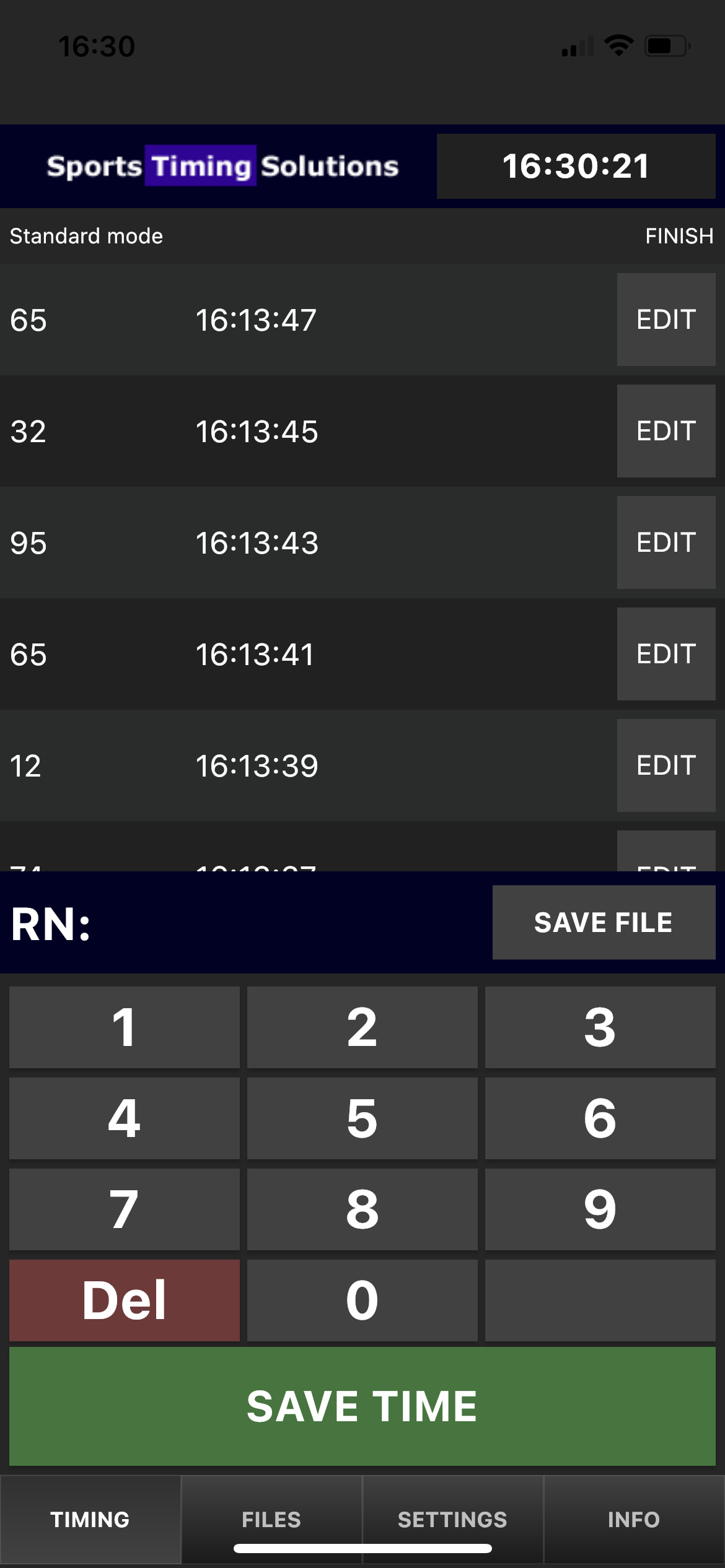
The TIMING section is where the real magic happens.
It's all very simple:
- Type in the number of the particpant as they aproach the finsh line
- Click SAVE TIME when they cross the finish line
If you have an internet connection then the results will be available online instantly.
PLEASE NOTE THAT UPLOADING TIMES IS A 1 WAY SYNC IF YOU MAKE A MISTAKE YOU WILL NEED TO EDIT THE TIMES ONLINE.
IT IS ADVISABLE TO USE 2 DEVICES ON THE FINISH LINE THIS ENSURES THAT YOU WILL NOT MISS ANYONE AS THEY FINISH.
ABOVE ALL WE RECOMMEND TESTING THE SYSTEM YOURSELF BEFORE THE ACTUAL EVENT TAKES PLACE. YOU CAN UPLOAD LIVE TIMES AND SEE FOR YOURSELF HOW IT ALL WORKS. ONCE YOU ARE READY FOR RACE DAY JUST DELETE ALL OF THE CURRENT TIMES IN THE SYSTEM.
IT REALLY IS THAT SIMPLE :-)
FILES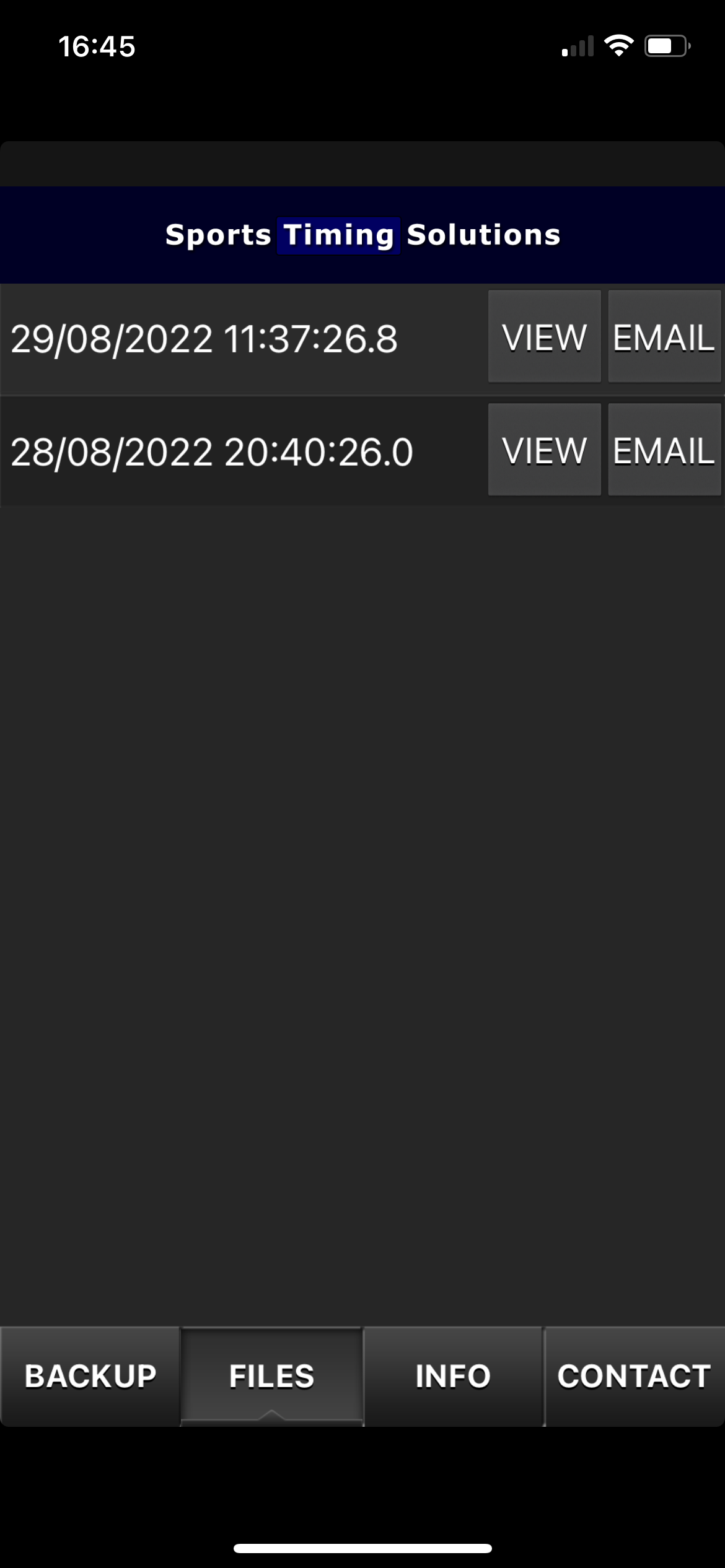
The files screen is where all files are saved. When you have finished with an event you can save the file should you need it at a later date. The file created can also be emailed and can be manually imported into the race timing module.