Race Timing - Web Interface
Our Race Timing Section is where you can administer all aspects of your event.
We are continually making new additions and updates to this very useful feature. the screens and data below will be updated as we go along.
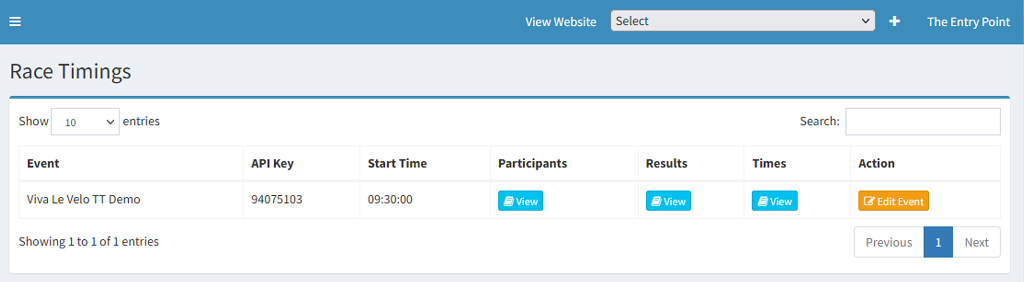
You will be presented with a screen as shown below:
API KEY
This is the 8 digit code that you need to insert into STS Pro Time within the API Key box located in settings. We always recommend that you enter a few times from STS Pro Time and check in the Raw Times section that the times are being inserted. (You can delete these times prior to your event taking place)
Start Time
This would be the time that the event is going to start and can be pre set within the administration section where you would edit your event in the usual place. When your event is due to take place you would open the app and ensure that the race starts at the same time as you have set. You can always record the time that the event started just in case the start was delayed. We often do this ourselves and normally enter 3 0's (zeros) and then click save when the race starts. We can then use this time to update our start time in the edit event section.
Participants
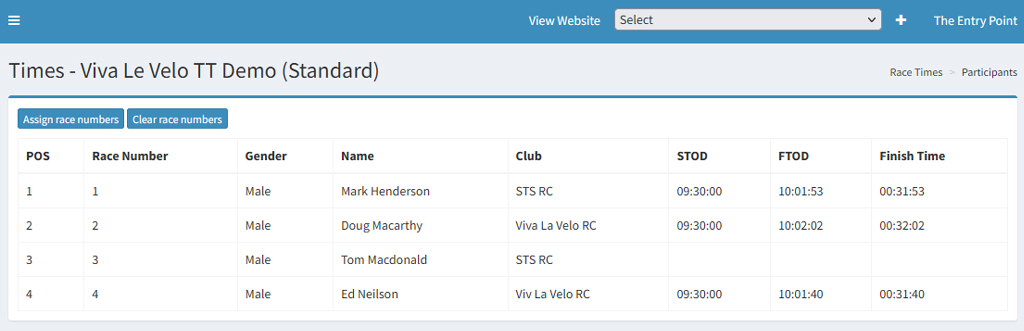
Assigning Numbers - Before an event you will need to assign numbers to your participants. You can do this using the assign numbers button. You can further edit individual numbers when editing the participants. Once you have assigned numbers you can then use this list to distribute your physical numbers to your participants.
Here you can see a full list of all of your participants and any times that have been recorded.
If for some reason you have not got a time for a particular participant and you know they have taken part you can always manually add in a time using your backup system. (we recommend using a second device on the finsh that acts as a backup.)
Results
The results screen allows you to see the official results for the event and these can also be printed off for your own purposes. All results are available live as the event happens so you can make the result link available prior to the event taking place.
Categories
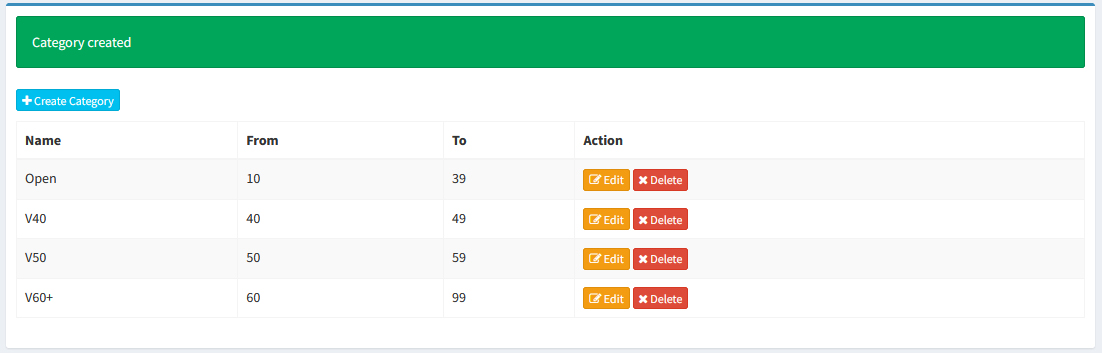
In addition to the main results you can now provide further age based category results. These results category results are shown on the main results page within admin and also on the public results pages.
Please note that we use the age column to calcualte the age on the day. When adding age based categories please ensure that you do not overlap any age categories. We have shown a perfect example below:
Times
The times screen displays all of the times that have been captured by the STS Pro Time app. You can actually test the system out prior to an event. Before your actual event is going to take place just click the delete times button.
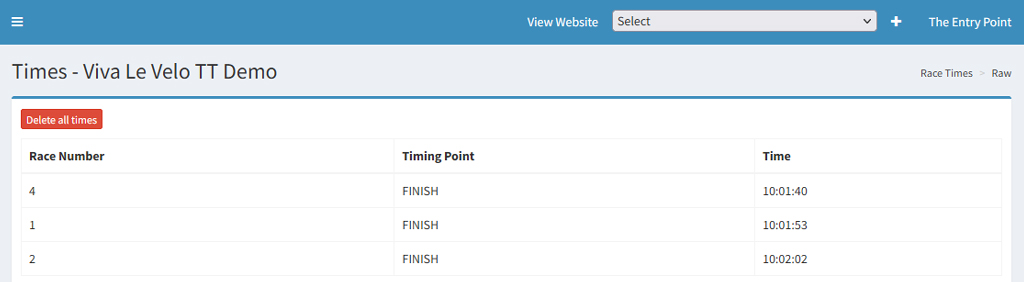
As with anything you can test this system out as much as you like before an event, you are able to add times and view how the results work. DO NOT JUST TURN UP ON THE DAY AND USE THIS SYSTEM IN REAL TIME. Always make yourself familiar with all aspects of our timing system before you use it in real time.